SENKO V-PRO IR LINK · UX PROPOSAL · 2026
WORK № 03V-PRO IR LINK
From a PDF lookup to a search box
A proposal, built as a working page, that replaced manual look-ups of gas parameters with search and auto-fill. The manufacturer agreed to implement gas selection and automatic response-factor entry without a firmware change.
- DATE
- JAN 2026
- CONTEXT
- First weeks using the software as a new hire at the distributor
- ROLE
- Found the problem as a user · Designed the solution · Built the interactive proposal · Made the case to the manufacturer
- STACK
- HTML · CSS · JavaScript
THE 45-SECOND READ
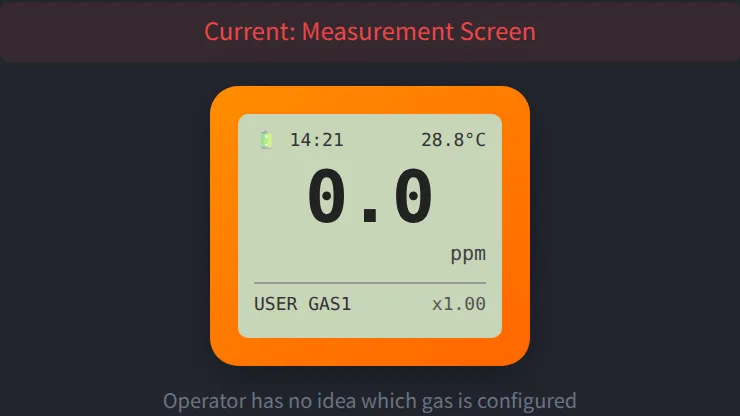
To configure a custom gas, users had to look up molecular weight and response factor in a PDF table and type them in. The detector then showed only "USER GAS1", so the operator in the field could not tell which gas was configured.
DECISIONBuild the proposal as a page the founder and the manufacturer could click through, instead of describing it in an email.
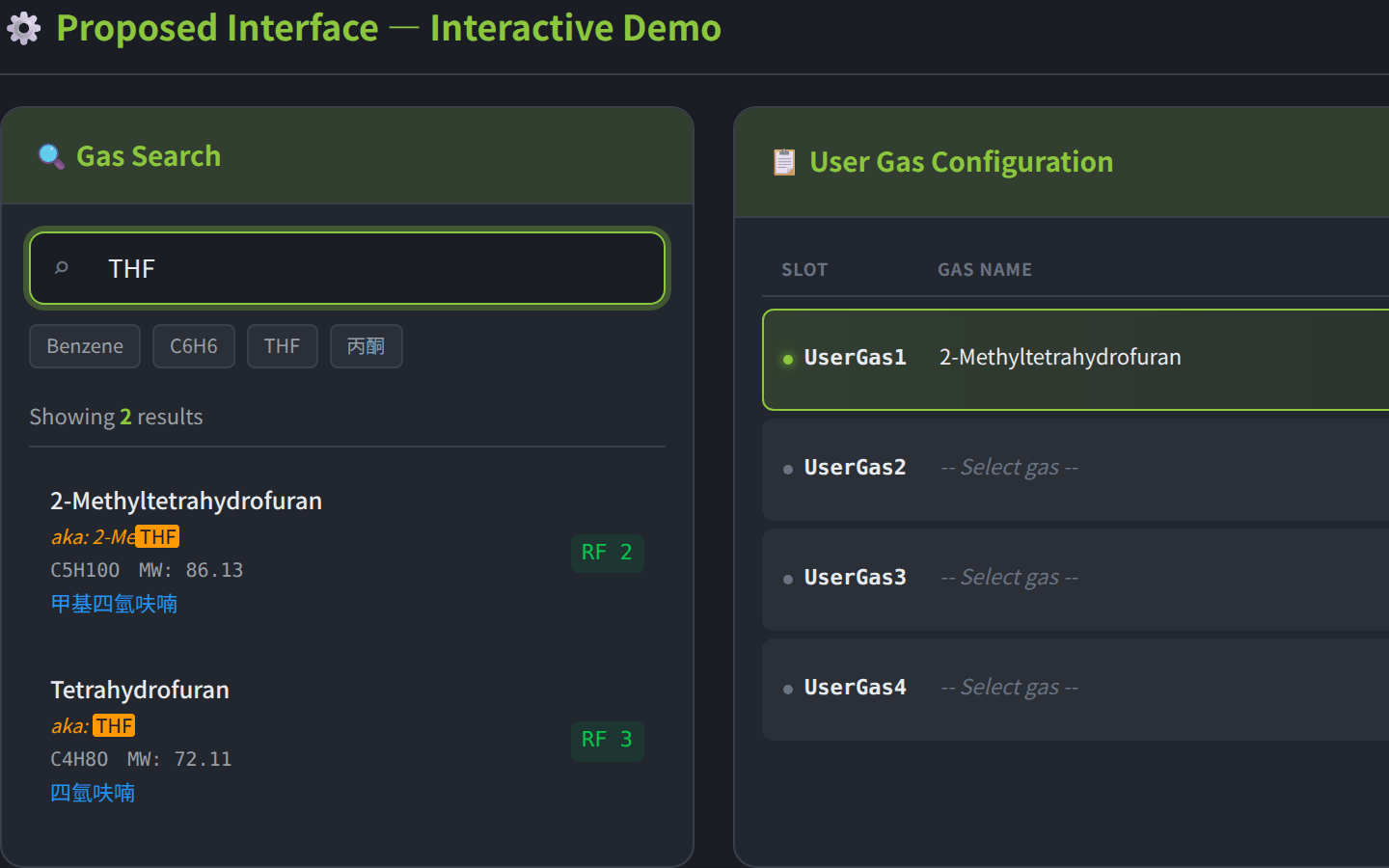
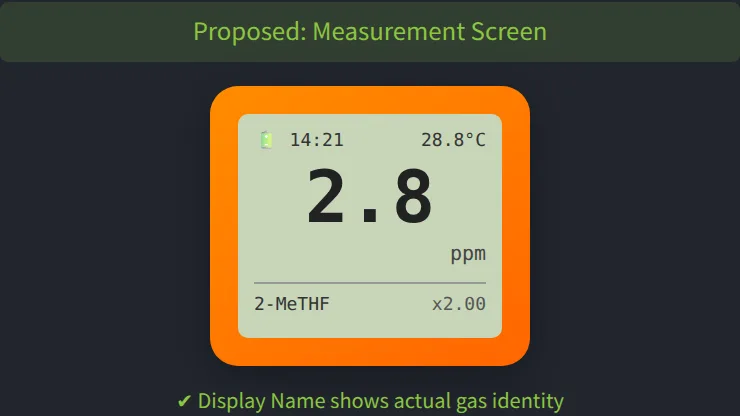
PRODUCTA current-vs-proposed comparison, a working search with auto-fill, a simulation of the device's LCD, and the reasoning behind each choice.
STATUSThe manufacturer agreed to implement gas selection and automatic response-factor entry without modifying firmware; other parts are still under discussion.
THE PRACTICE / 01
Search, not a dropdown
Hundreds of gases in a dropdown is unusable. Search matches English name, alternative name, formula, Chinese name and CAS number, and shows why each result matched. The built-in database covers 840+ gases.
THE PRACTICE / 02
A name that fits the screen
A 12-character display name with a counter, so the device shows “2-MeTHF” instead of “USER GAS1”; the response factor appears on the measurement screen.
THE PRACTICE / 03
Keep the old way
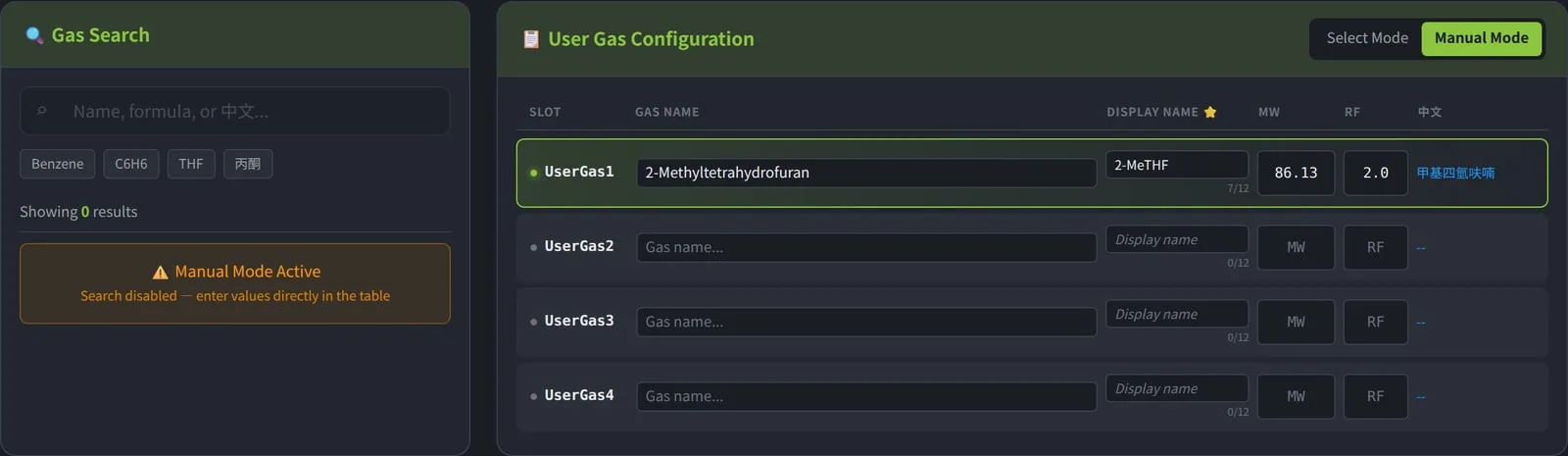
Manual mode stays for gases that are not in the database, so nothing existing breaks. Switching to it disables search and makes every field editable, mirroring how the software already worked.
THE PRACTICE / 04
Frame it as customer experience
The proposal was positioned as improving the user’s experience, not as criticism of the manufacturer’s design.
READING NOTE / OPEN
Click through the proposal yourself.
The page runs in your browser. Search by name, formula, Chinese name or CAS number, then add a gas to a slot.